Skip to main content
How Can We Help?
Chatbot Embed – How to embed your chatbot on your website or use it anywhere
Your chatbot can be embedded anywhere, or you can have a standalone URL that you can use as a link on a button or menu.
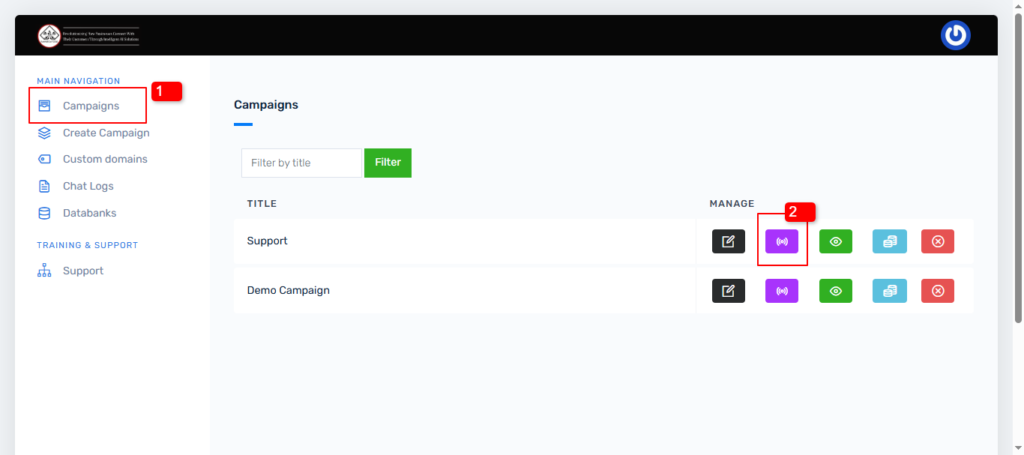
To do this, click on the campaigns section marked “1” as shown in the image below. Here you will see all the chatbots that you have created. To get your embed code and other options like a standalone URL, click on the section marked “2” as shown in the image below.
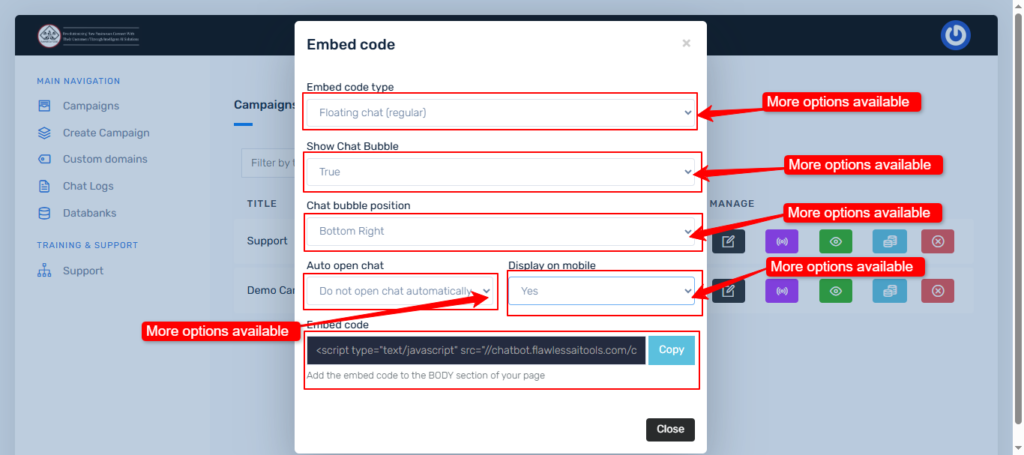
This will bring up other options as shown in the image below. Clicking on any of those sections will bring out options for you to choose. Decide on what you want to do with your bot and click on copy to get your embed code or URL if you chose a full page chat in the first option